






I spent the day before KubeCon + CloudNativeCon North America 2026 at Azure Day with Kubernetes in Salt Lake City. It’s the AKS pre-day, and it’s always one of my favourite parts of the week. You get the product team in one room, a lot of slides, and the chance to ask the questions you can’t really ask in a GitHub issue.
The day kicked off with Jorge Palmer running a game of AKS Jeopardy before the keynote. It was a lot of fun, a bit competitive, and a great way to wake a room up at 9am. Jorge then did the keynote, and as always it was really good.
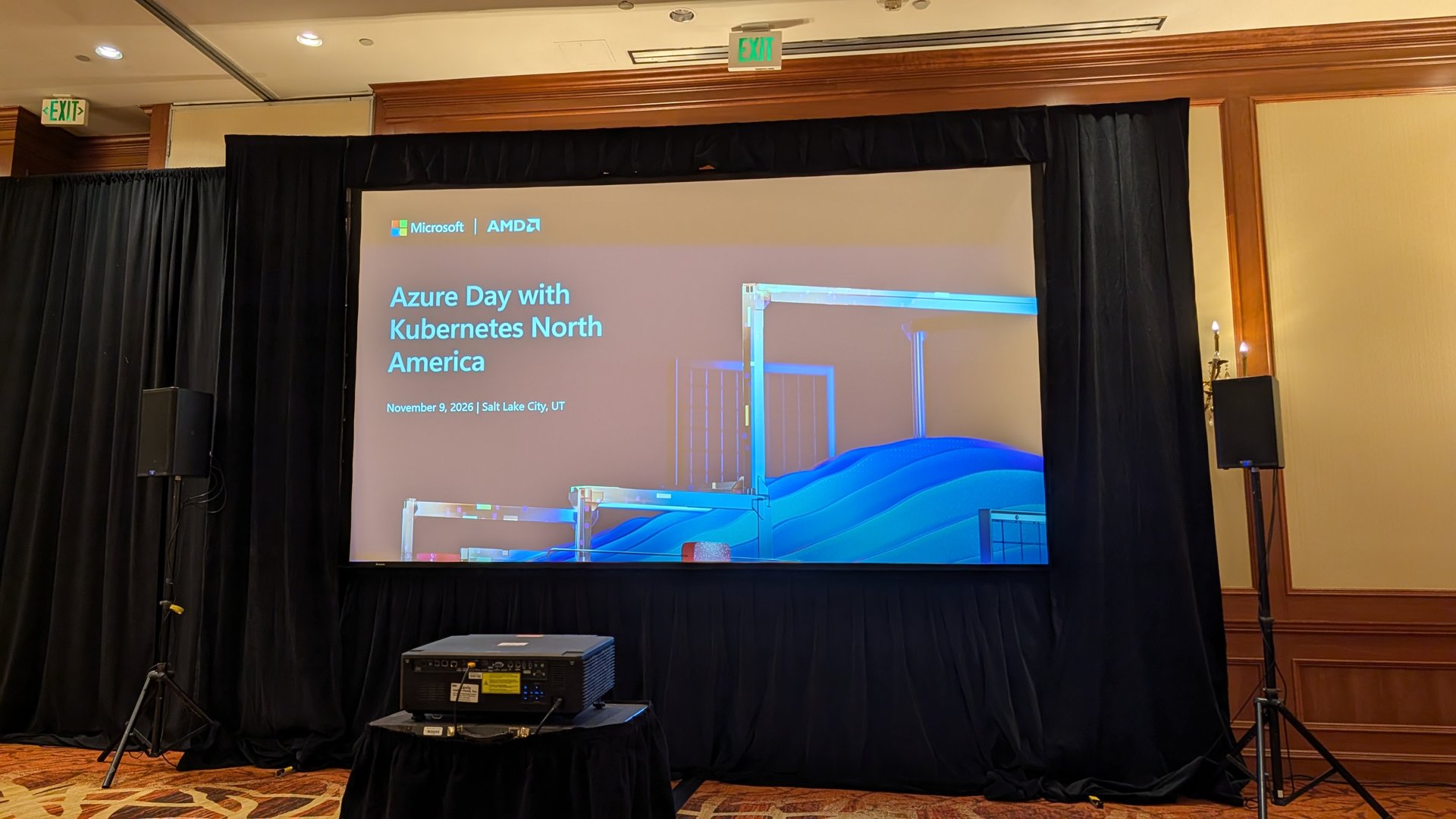
I took over a hundred photos of slides, so this post is my attempt to pull out what matters. I shared a lot of them as the day went on over on LinkedIn and X, so head there if you want the full set. I’ve marked what’s GA, what’s in preview, and what’s still on the roadmap, because those are very different conversations when you take them back to your platform team.
Why this one mattered
If I had to sum up the day, it was AKS doing more for you by default, whilst giving you more ways to run it wherever you need it. Security, AI, sovereign and edge, multi-cluster management, and cost all got a good chunk of time.
What I liked is that a lot of it isn’t “coming one day”. Plenty of the features were marked GA or public preview on the slides, with docs you can read today.
Secure by default
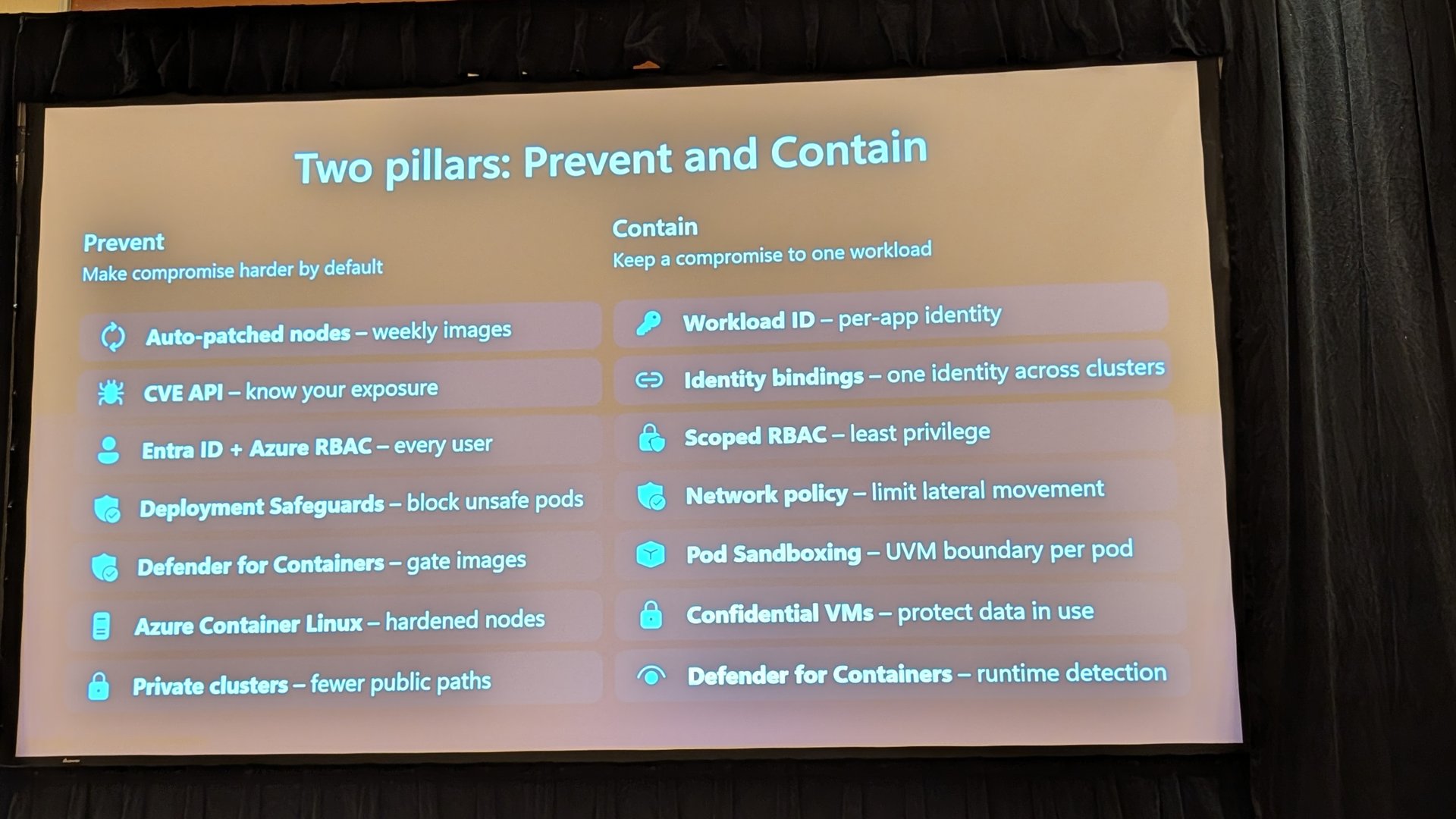
The opening section framed security as two pillars, prevent and contain. Prevent covers things like auto-patched nodes, Deployment Safeguards, Defender for Containers and Azure Container Linux. Contain is about keeping a compromise to one workload with workload identity, identity bindings, network policy and pod sandboxing.
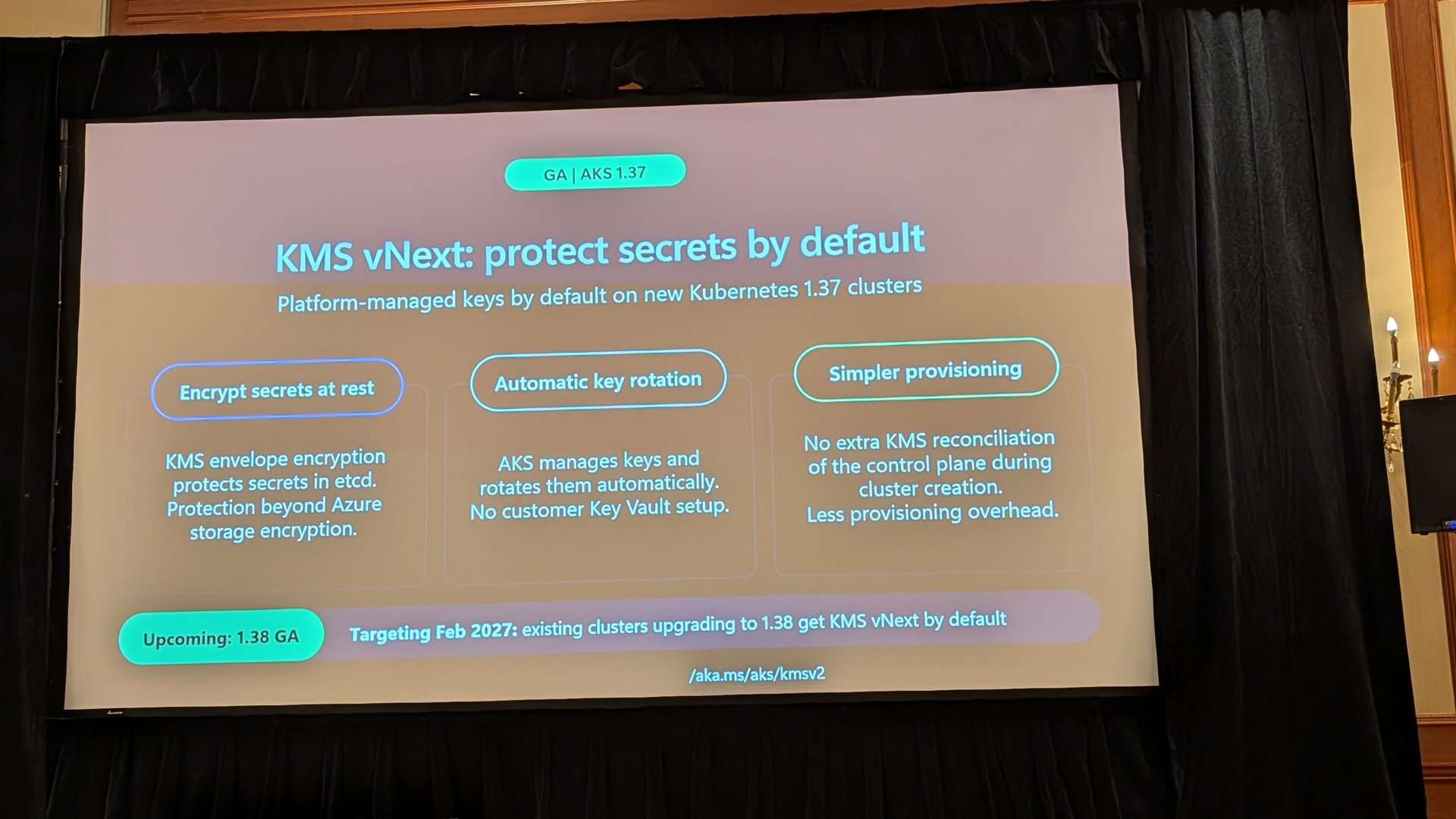
The one I’d pay attention to first is KMS vNext. On new Kubernetes 1.37 clusters, platform-managed keys are on by default, so secrets in etcd get KMS envelope encryption with automatic key rotation and no Key Vault setup. The slide also says that from February 2027, existing clusters upgrading to 1.38 get it by default. That’s a change you want to know about before it lands, not after.
A few others worth a look.
- Azure Container Linux is GA. It’s an immutable, read-only OS with SELinux enforcing and integrity policy enforcement, and node auto-provisioning (NAP) can now create Azure Container Linux nodes.
- A/B updates for Azure Container Linux are coming soon. The new OS gets staged in a second slot whilst workloads keep running, then a reboot switches over, with an atomic rollback to the last known-good slot. Anyone who’s dealt with a bad node image will like that.
- Identity bindings are GA. One managed identity can be shared across clusters with a single federated credential, which gets you around the 20 federated identity credential limit.
- Pod Sandboxing with NAP is GA, so you can get a VM boundary per pod without hand-building node pools for it.
AI on AKS
As you’d expect, AI got a lot of airtime. The GPU story has moved on a lot.
- Managed GPU node pools are GA. AKS looks after the NVIDIA driver, device plugin and DCGM exporter with the node image, and GPU metrics land in Managed Prometheus and Grafana by default.
- Confidential GPU support is GA, using AMD SEV-SNP confidential VMs with NVIDIA H100s.
- Managed DRA for GPU nodes is in public preview and managed DRANET is GA. You request GPUs by capability rather than count, and the slide quoted up to 4.8x RDMA bandwidth for multi-node training.
- Inspektor Gadget GPU profiling is in public preview, with GPU memory flame graphs. That’s a nice addition if you’ve ever tried to work out why a model pod keeps getting OOM killed.
There was also a good run through storage for AI, including Azure Container Storage v2.2.1 (GA) for local NVMe, DACS for caching models in front of Blob, and Gantry, an open-source project for peer-to-peer image layer sharing. The Gantry numbers were eye-catching, 99.2% less registry traffic and 24.5% faster pod starts on a 1,000-node rollout of a 40 GiB image.
On the KAITO side, the open-source project showed model mirroring and streaming from Blob (roughly 7 to 11x faster model loads in their test), MIG support, KEDA-based autoscaling for inference, a memory estimator, and prefill/decode disaggregation. If you’re serving open-weight models on AKS, KAITO keeps getting more useful.
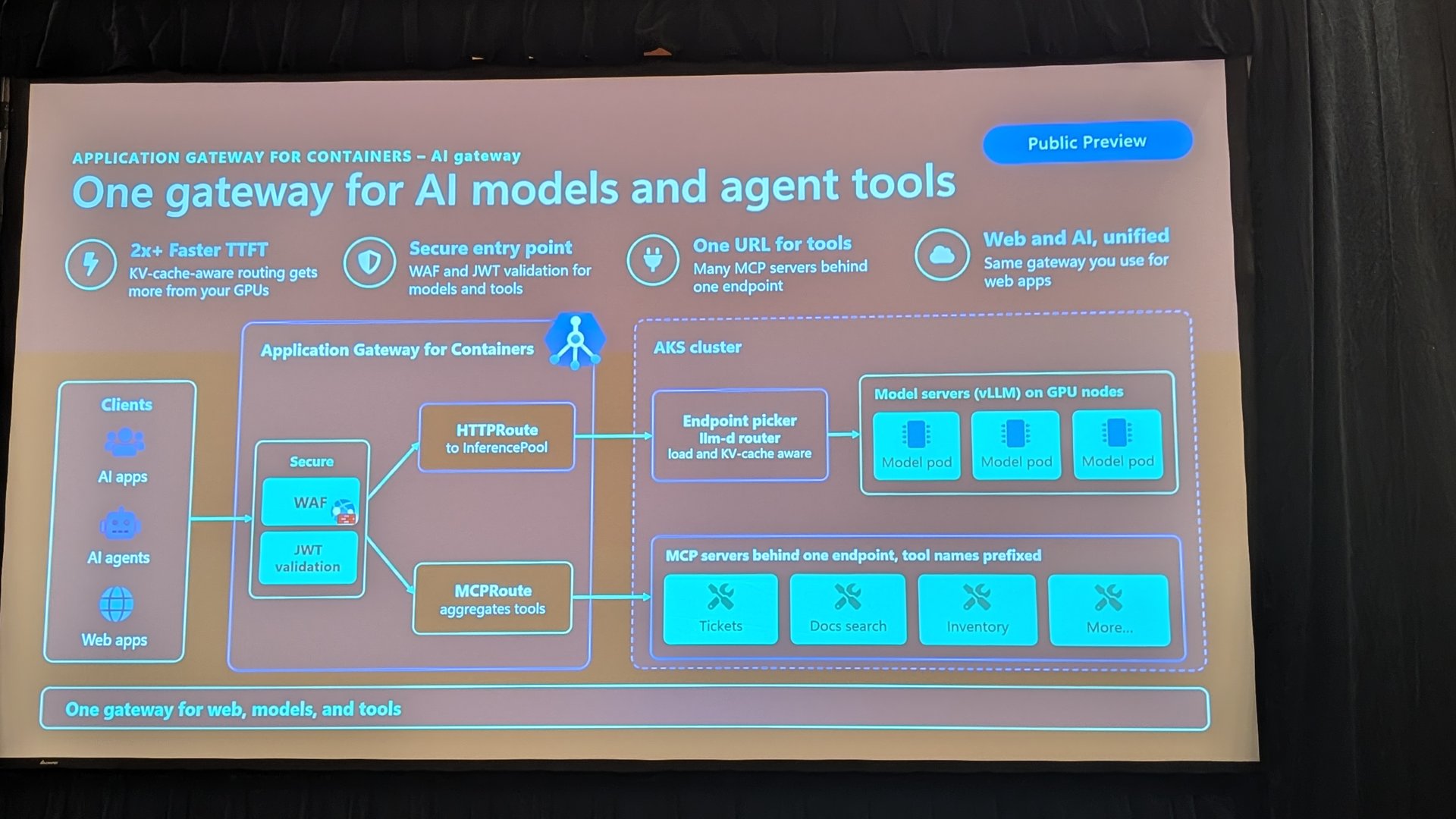
Application Gateway for Containers also has an AI gateway in public preview. It’s one gateway for web apps, model endpoints and MCP servers, with KV-cache-aware routing to model pods and MCP servers aggregated behind a single endpoint.
Agents at scale, and that density demo
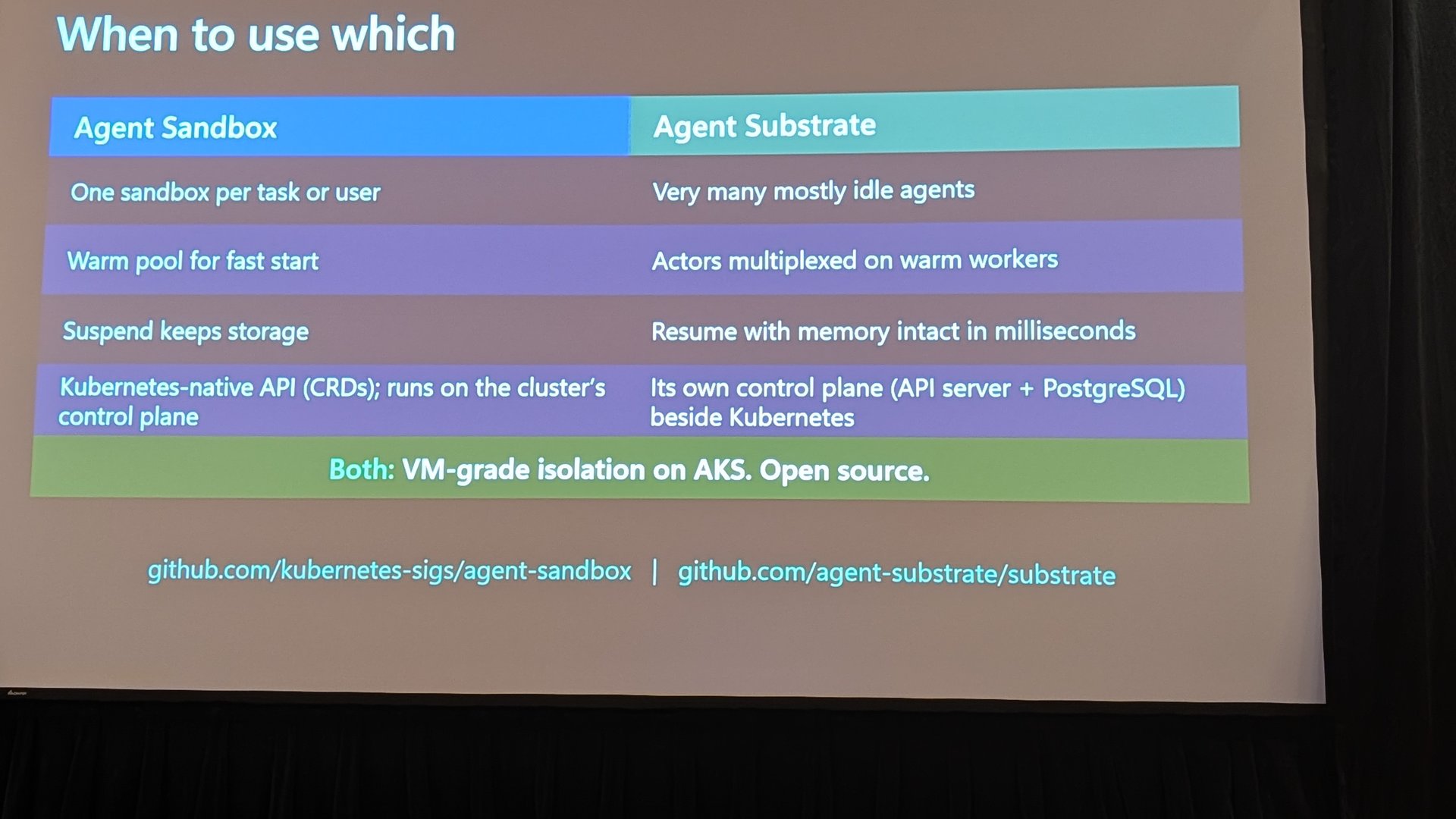
This was the bit that stuck with me. The framing was simple. An agent is a loop, not a request. It runs code a model wrote, it’s long-lived and stateful, and it’s mostly idle and then bursty. One pod per agent doesn’t scale well when most of them are doing nothing.
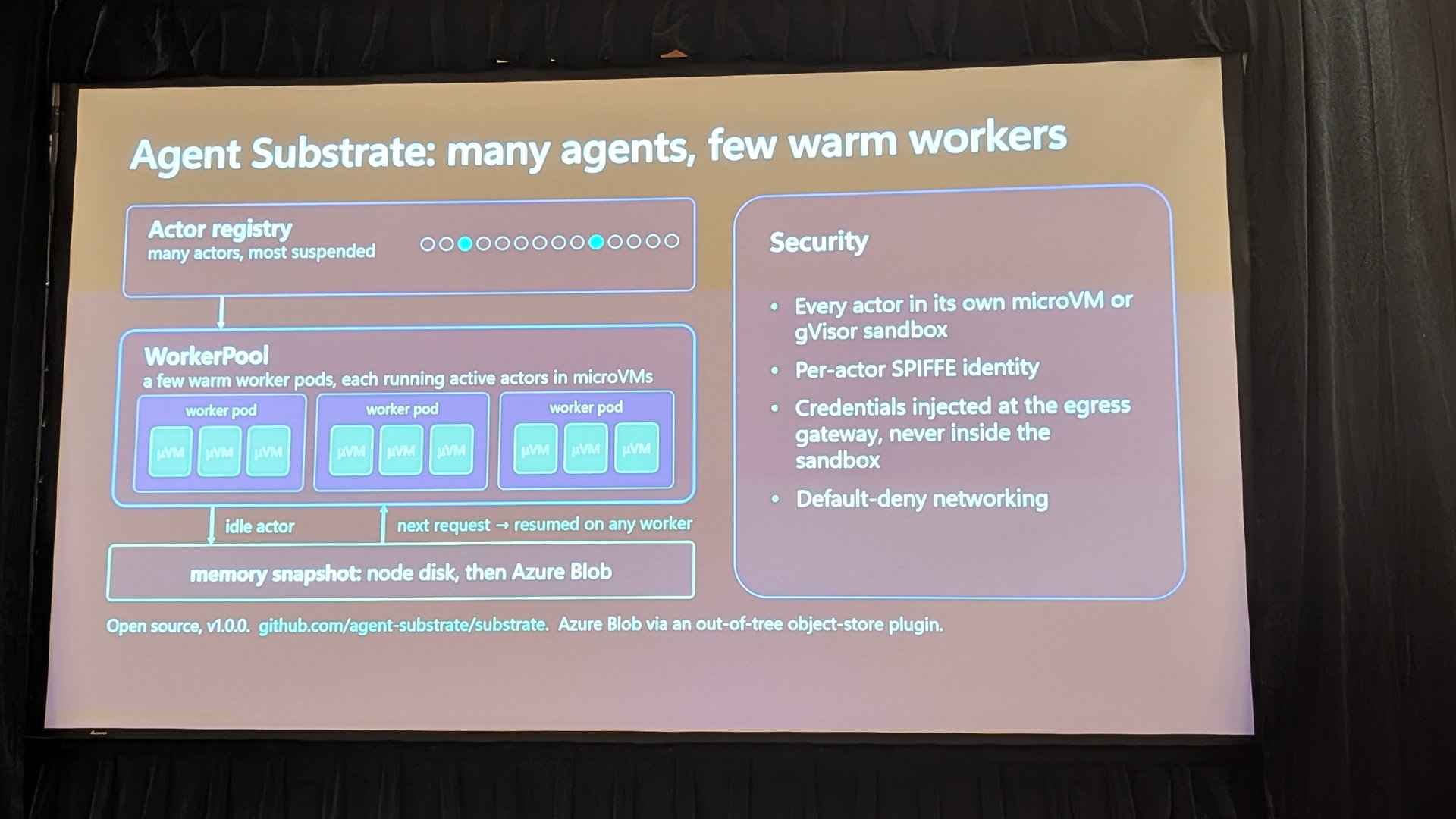
Two open-source building blocks were shown running on AKS. Agent Sandbox is a Kubernetes SIG Apps project that gives you an isolated, stateful pod per sandbox with a warm pool you claim from. Agent Substrate goes further, multiplexing lots of agents onto a small pool of warm worker pods, with each agent in its own microVM and idle ones snapshotted to disk and Blob.
Then came the density demo. It showed 22,655 agents across 65 microVM worker nodes, with only 44 actually running and the rest suspended. The run finished with 27,500 idle agents across those nodes with no failures. The measured slide quoted 550 agent activations per second sustained and a 160 ms median resume.
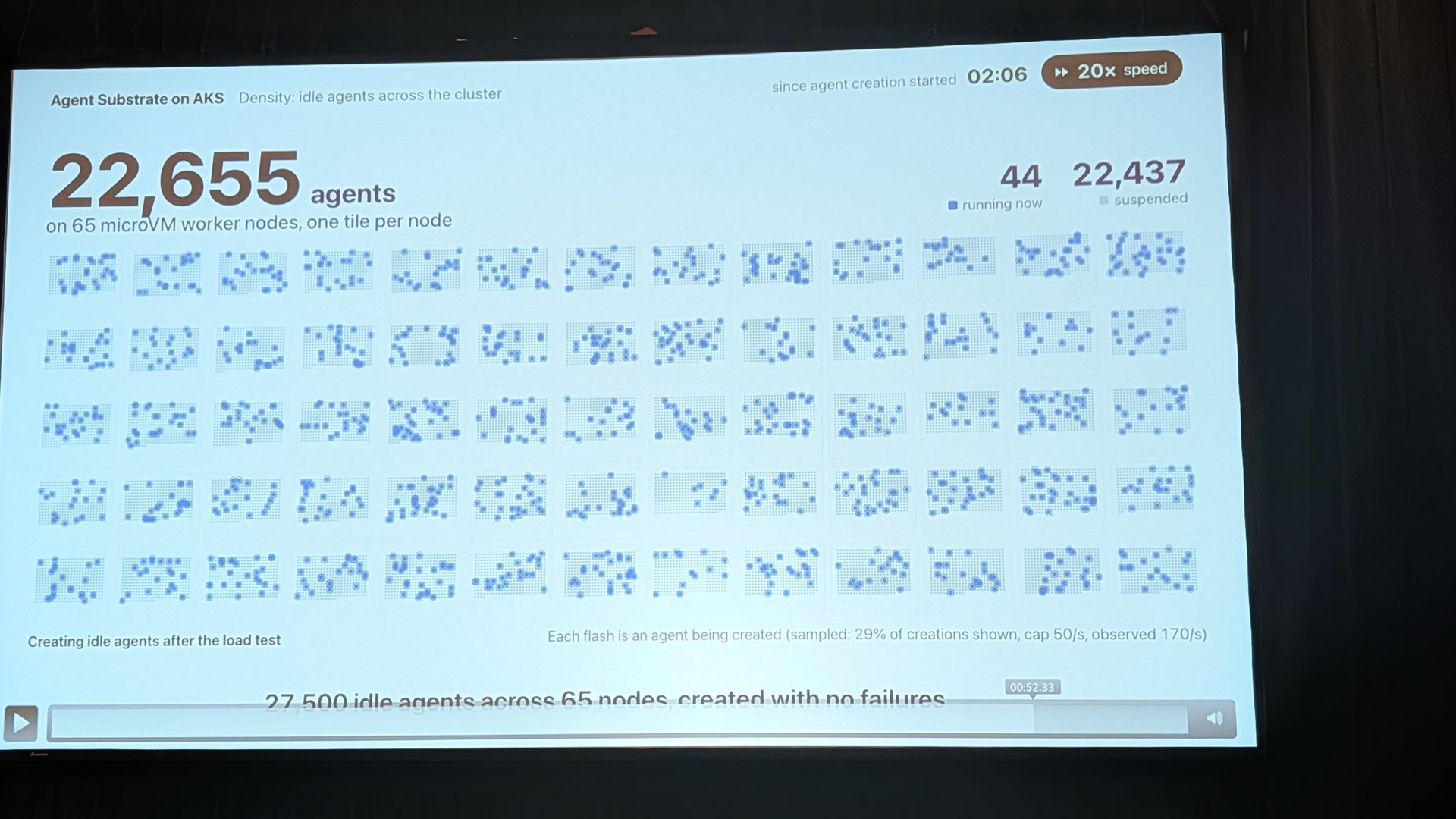
Watching that tick up live was genuinely impressive. It also made the trade-off really clear, so the “when to use which” slide was a useful one to grab.
The team was also clear about what’s next, and clear that it’s in development with no timelines. That includes Agent Sandbox as an AKS extension, pod snapshot and restore, and an open-source distributed agent runtime on top of Agent Substrate. I’m really looking forward to seeing where this goes. If Agent Sandbox becomes a managed extension, that removes a lot of the work of running it yourself.
AKS everywhere
There were physical devices at the event running AKS on bare metal and showing off flex nodes, which was a really nice touch. It’s one thing to see a slide about edge, and another to see the kit sat there running.
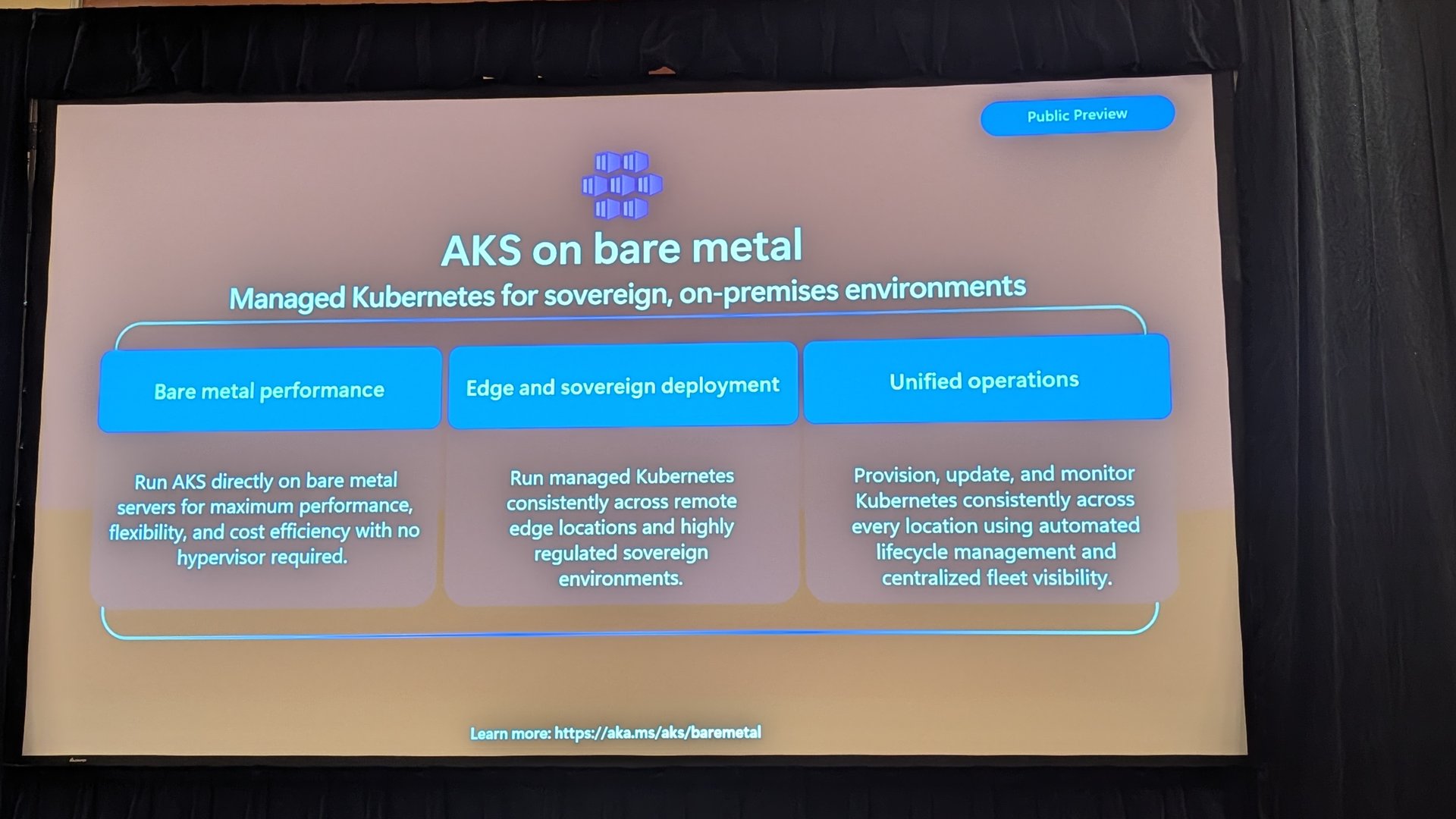
AKS on bare metal is in public preview. It’s managed Kubernetes for sovereign and on-premises environments with no hypervisor, managed with the same tooling and with centralised fleet visibility.
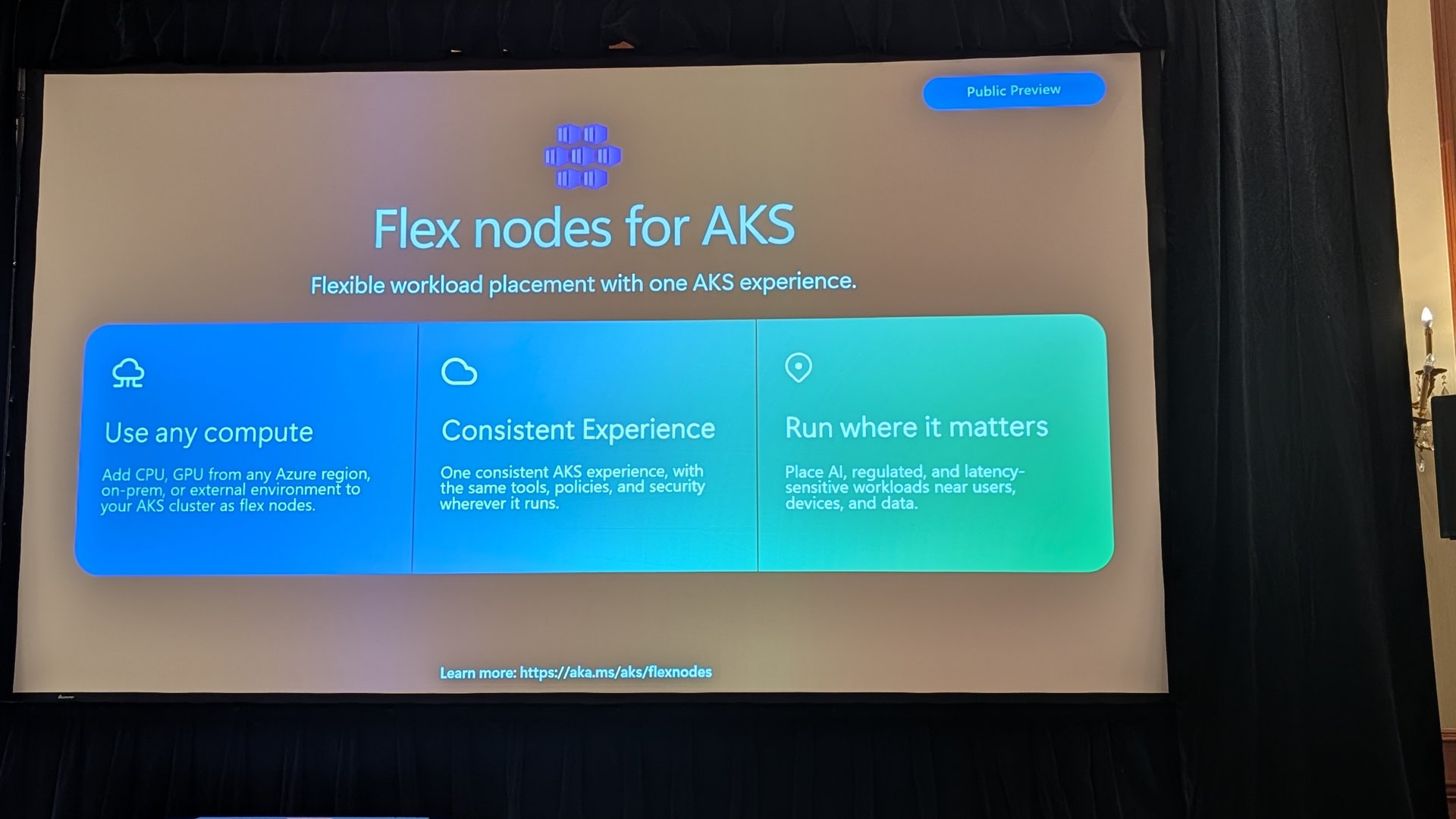
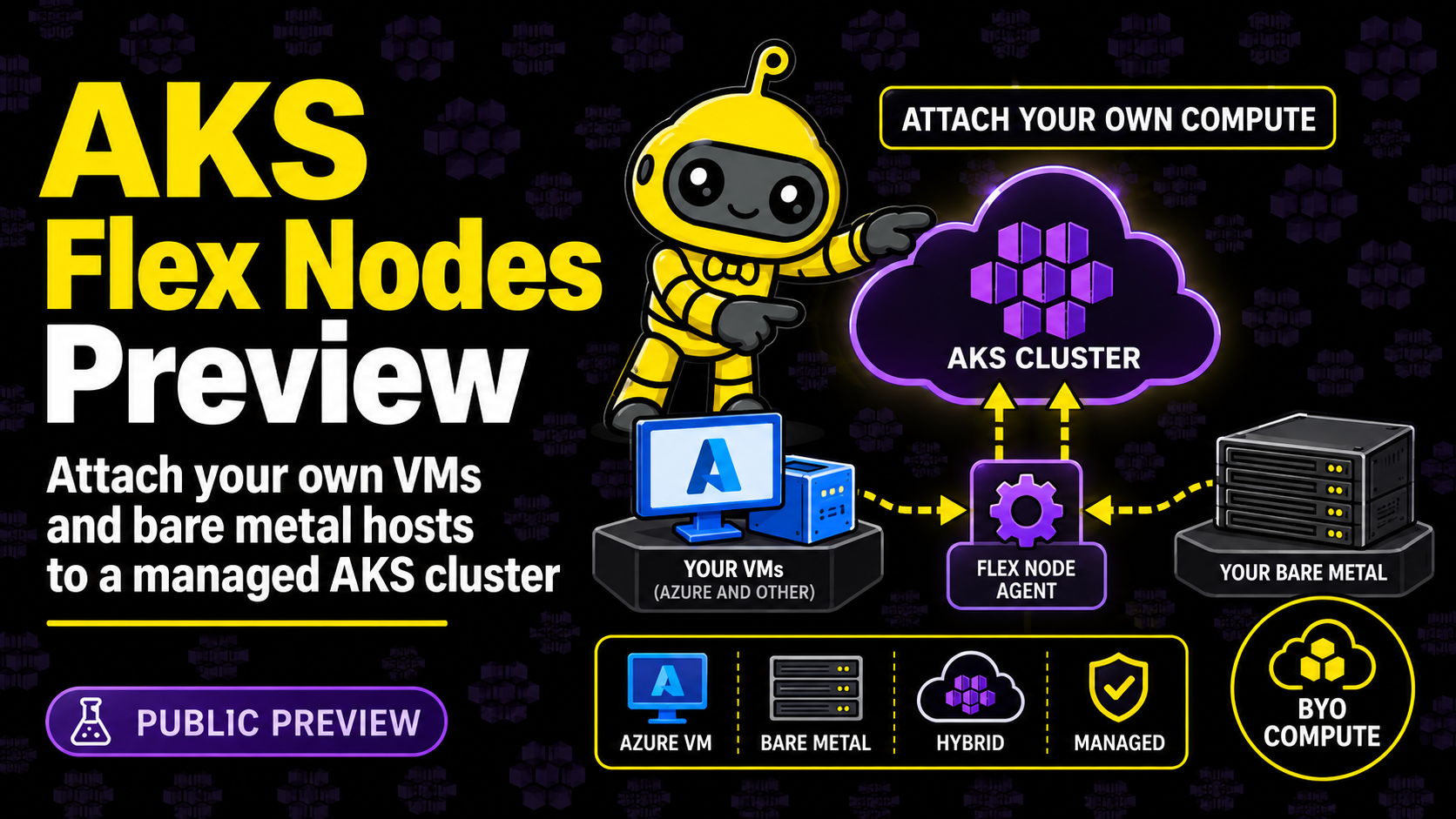
Flex nodes for AKS are also in public preview. You can add CPU or GPU capacity from any Azure region, on-premises or an external environment to your AKS cluster as flex nodes. That opens up some interesting options, like bursting into a region where you’ve actually got GPU quota.
NAP got its own updates. Node image pins, capacity reservation group support and Machine API integration are GA, and capacity buffers are in preview for spiky, latency-sensitive workloads.
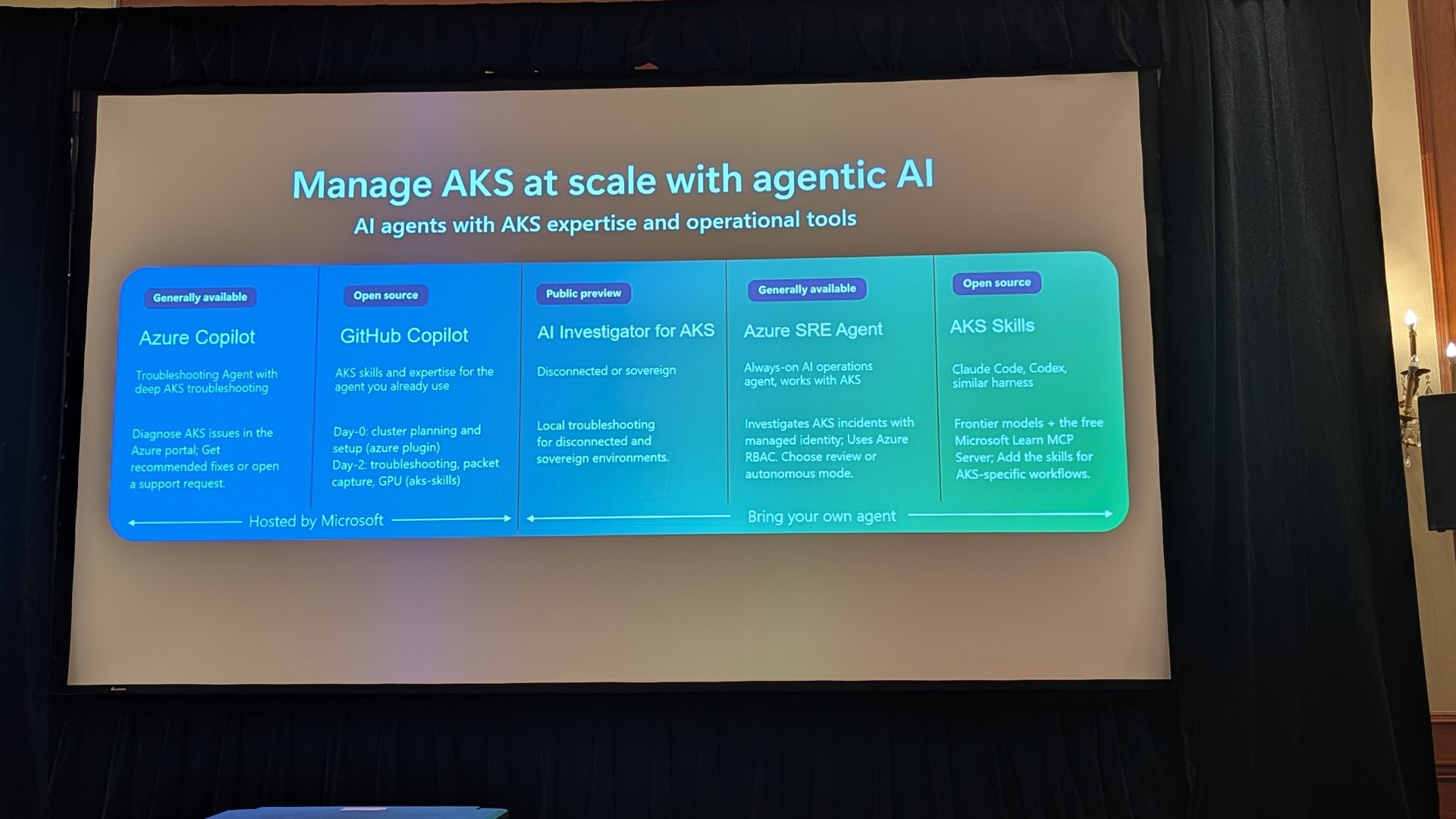
There was also a good slide on agentic AI for operating AKS. It covered Azure Copilot (GA), the GitHub Copilot AKS skills (open source), AI Investigator for AKS (public preview, aimed at disconnected and sovereign environments), Azure SRE Agent (GA) and AKS Skills for tools like Claude Code and Codex (open source).
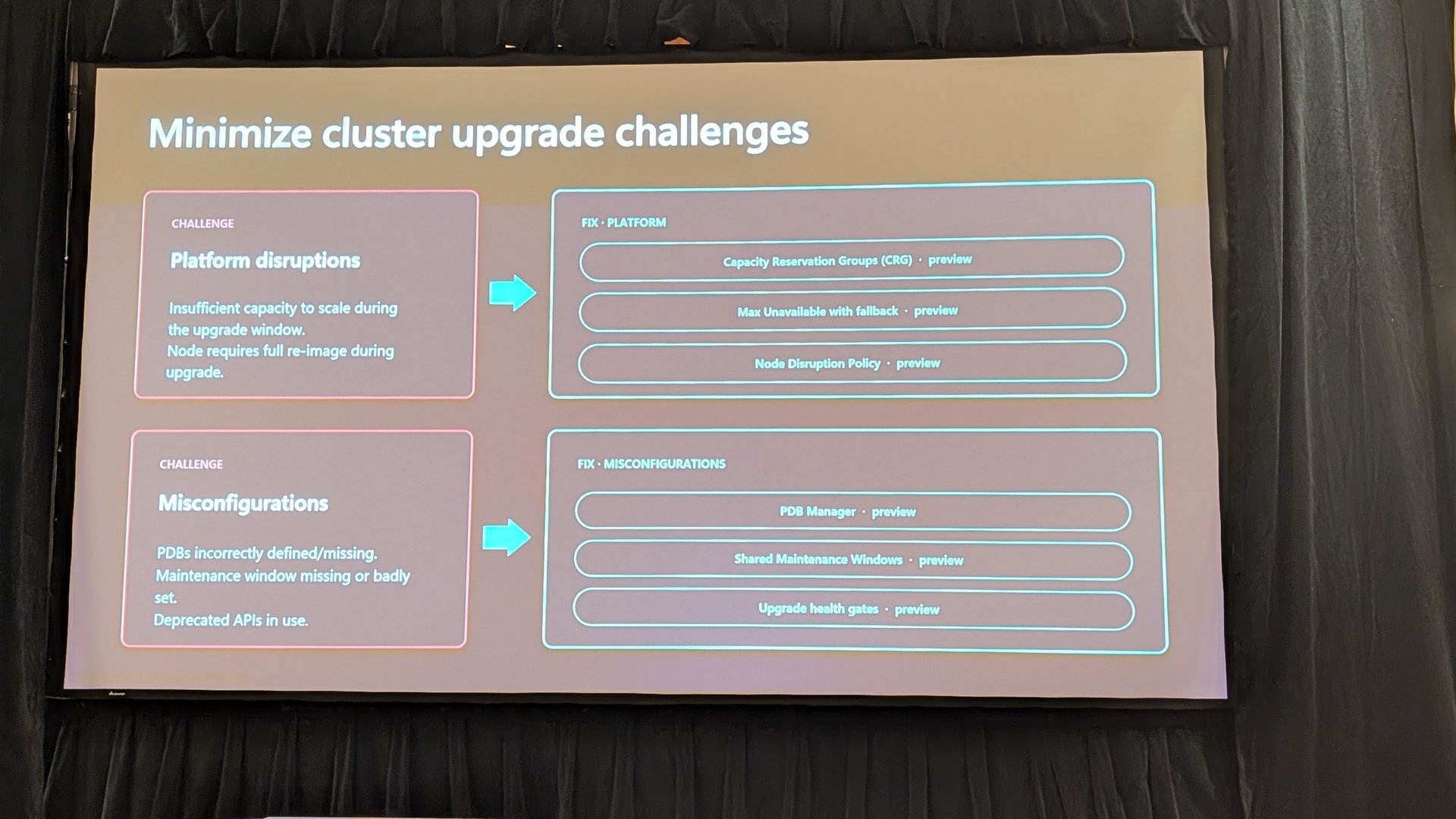
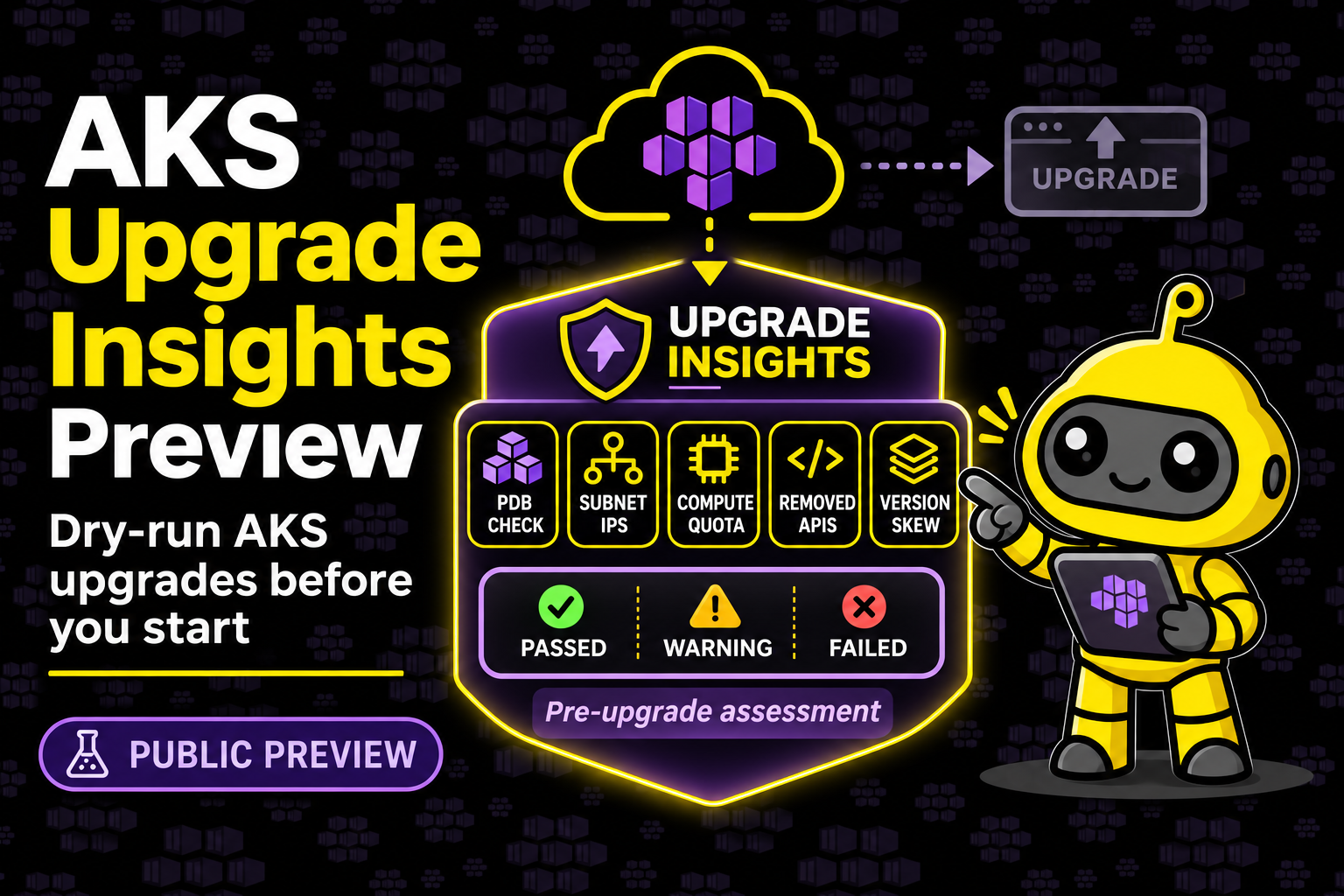
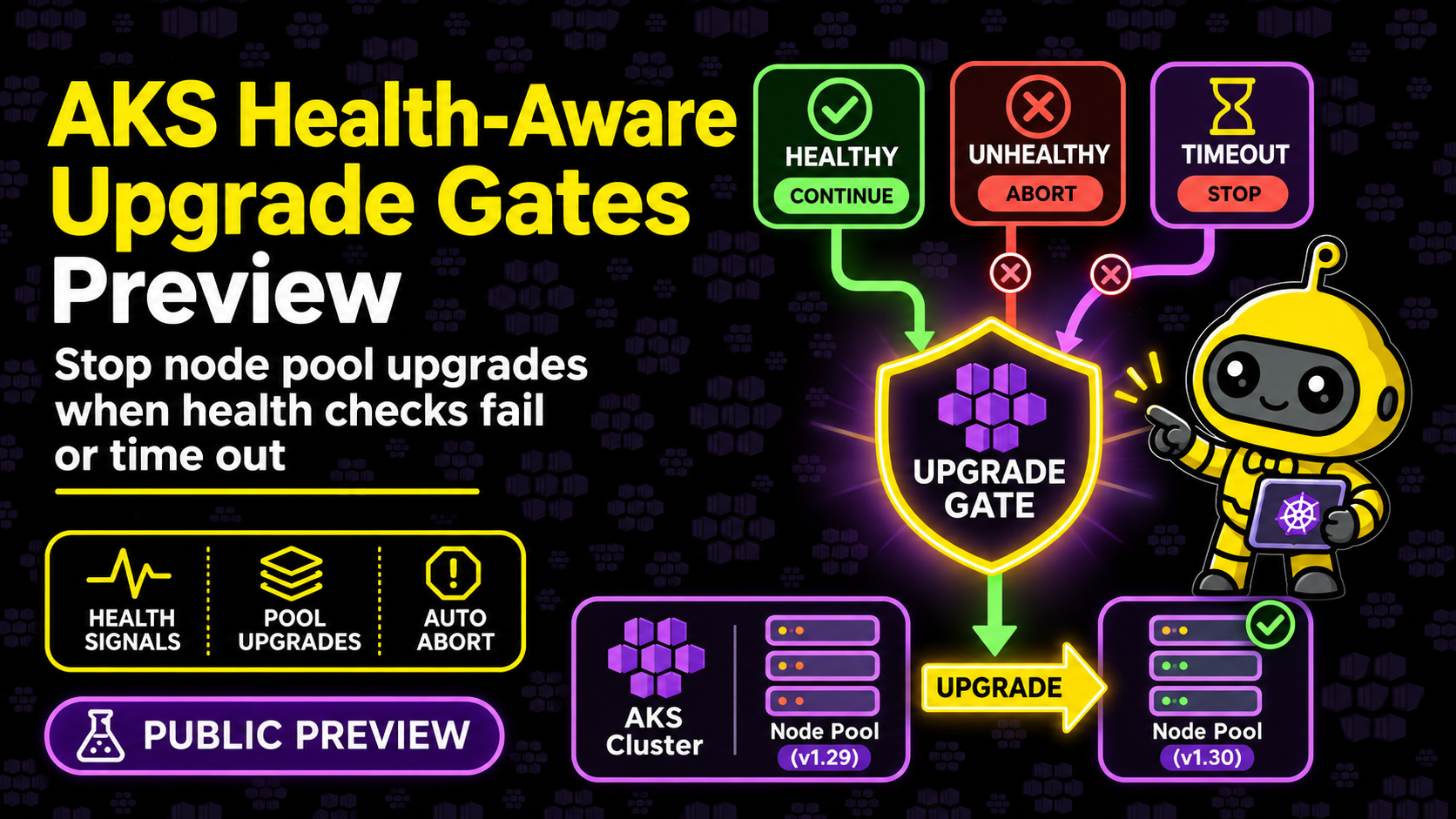
Upgrades got the attention they deserve too. The slide split the problem into platform disruptions and misconfigurations. The fixes on the platform side are capacity reservation groups, max unavailable with fallback and a node disruption policy. On the misconfiguration side there’s a PDB Manager, shared maintenance windows and upgrade health gates. Everything on that slide was marked preview.
Fleet Manager and KubeFleet
This was my favourite section of the day, and it’s the one I need to dig into properly. Azure Kubernetes Fleet Manager is powered by KubeFleet, the open-source project, and it’s growing into the way to manage lots of clusters, not just AKS ones.
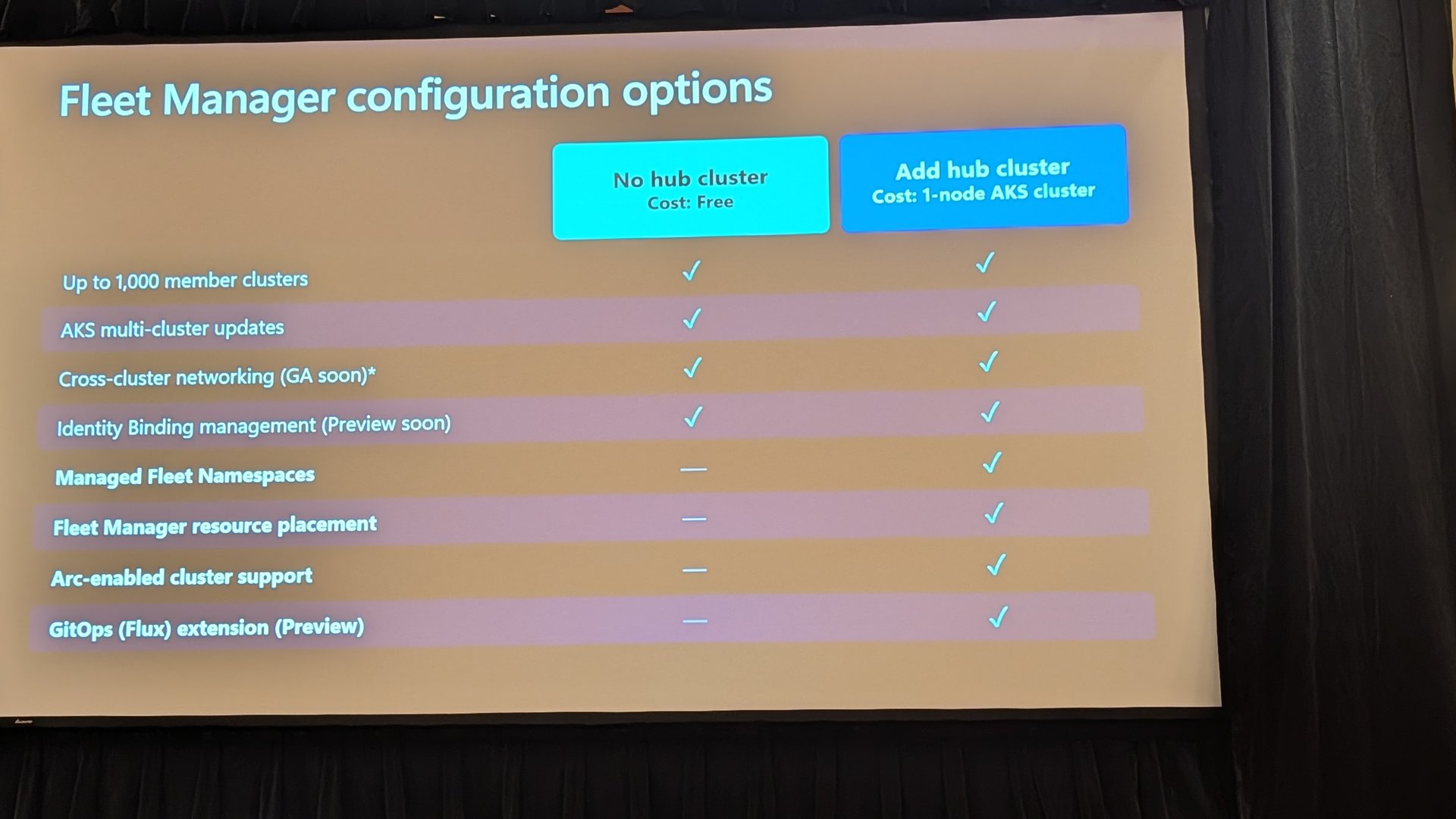
The configuration options slide is a good one to save. Without a hub cluster it’s free and gives you multi-cluster updates for up to 1,000 member clusters. Add a hub cluster (the cost of a 1-node AKS cluster) and you get managed fleet namespaces, resource placement, Arc-enabled cluster support and the GitOps Flux extension, which is in preview. Cross-cluster networking was marked as GA soon.
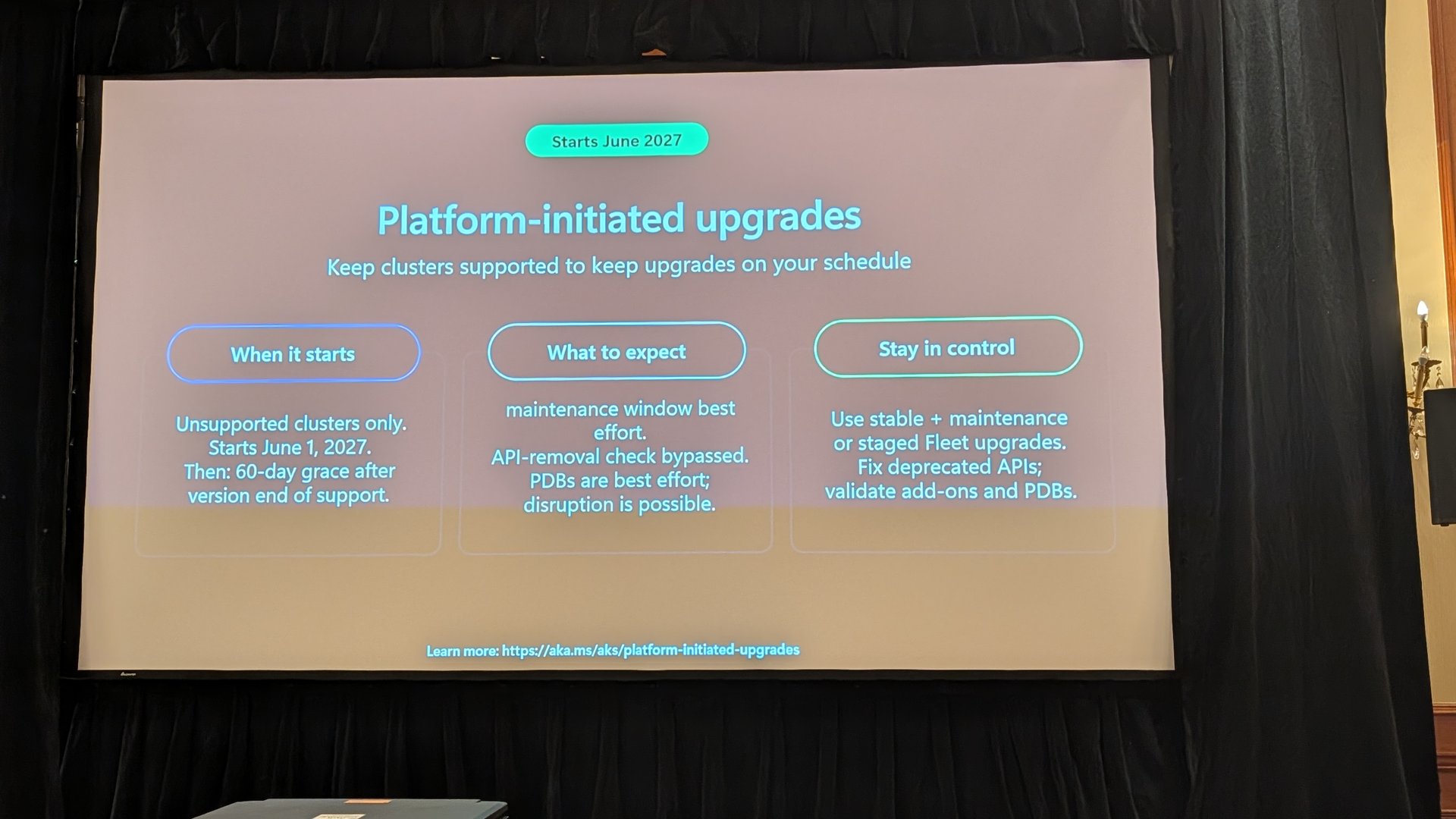
Related to upgrades, there was a heads-up on platform-initiated upgrades. From 1 June 2027, AKS will start upgrading unsupported clusters, with a 60-day grace period after a version goes out of support. The slide was clear that maintenance windows are best effort, the API-removal check is bypassed, and PDBs are best effort, so disruption is possible. If you’ve got clusters that have drifted out of support, this is your cue to sort them before AKS does it for you.
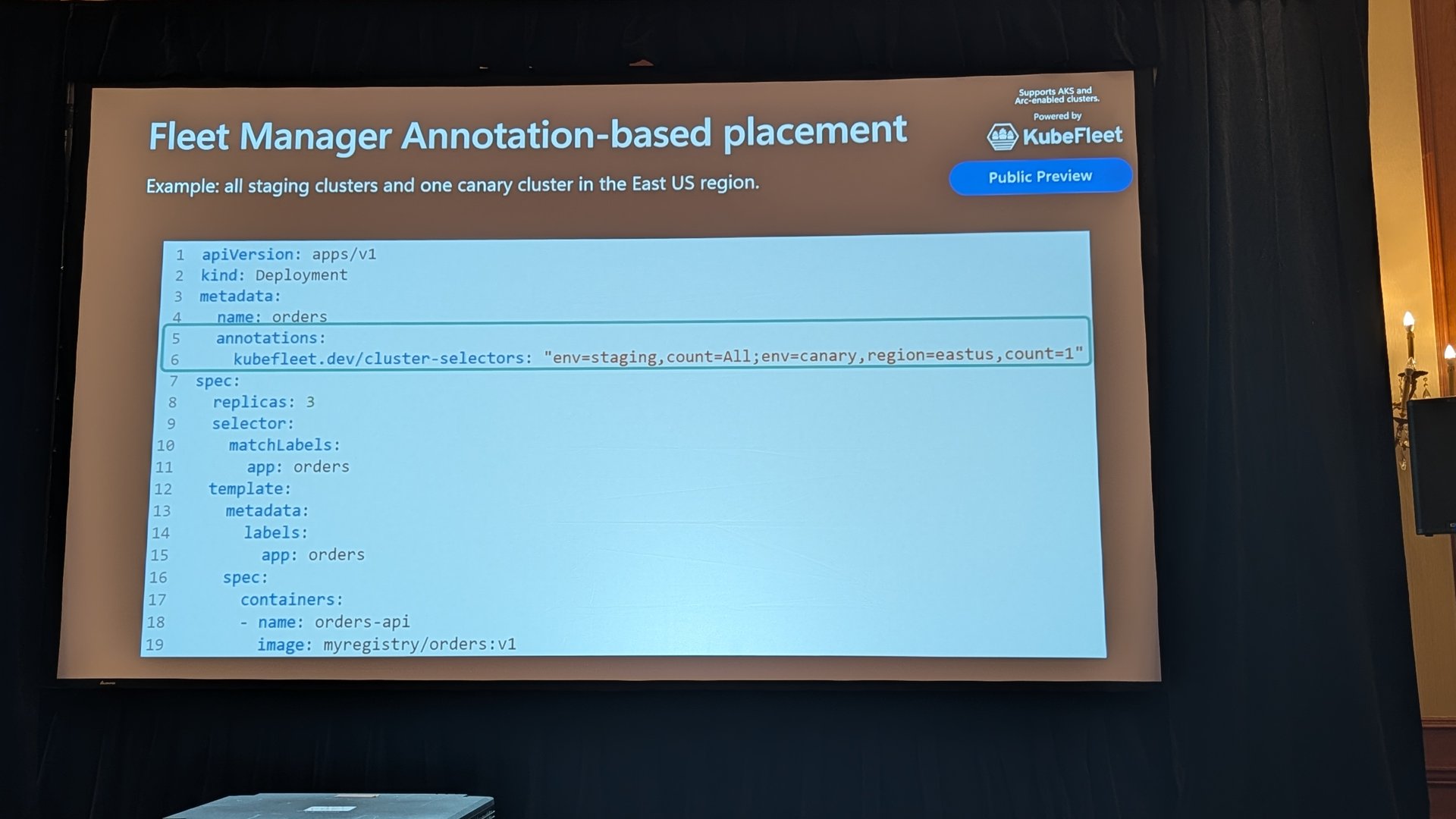
The new piece that caught my eye was annotation-based placement, in public preview. Instead of writing a separate placement object, you add a kubefleet.dev/cluster-selectors annotation to the resource on the hub. This is the example from the slide, which places the deployment on all staging clusters and one canary cluster in East US.
apiVersion: apps/v1
kind: Deployment
metadata:
  name: orders
  annotations:
    kubefleet.dev/cluster-selectors: "env=staging,count=All;env=canary,region=eastus,count=1"
spec:
  replicas: 3
  selector:
    matchLabels:
      app: orders
  template:
    metadata:
      labels:
        app: orders
    spec:
      containers:
      - name: orders-api
        image: myregistry/orders:v1Code language: JavaScript (javascript)
Fleet Manager turns the annotation into a placement policy for you. For teams that find placement objects a bit heavy, this is a much lower barrier to entry.
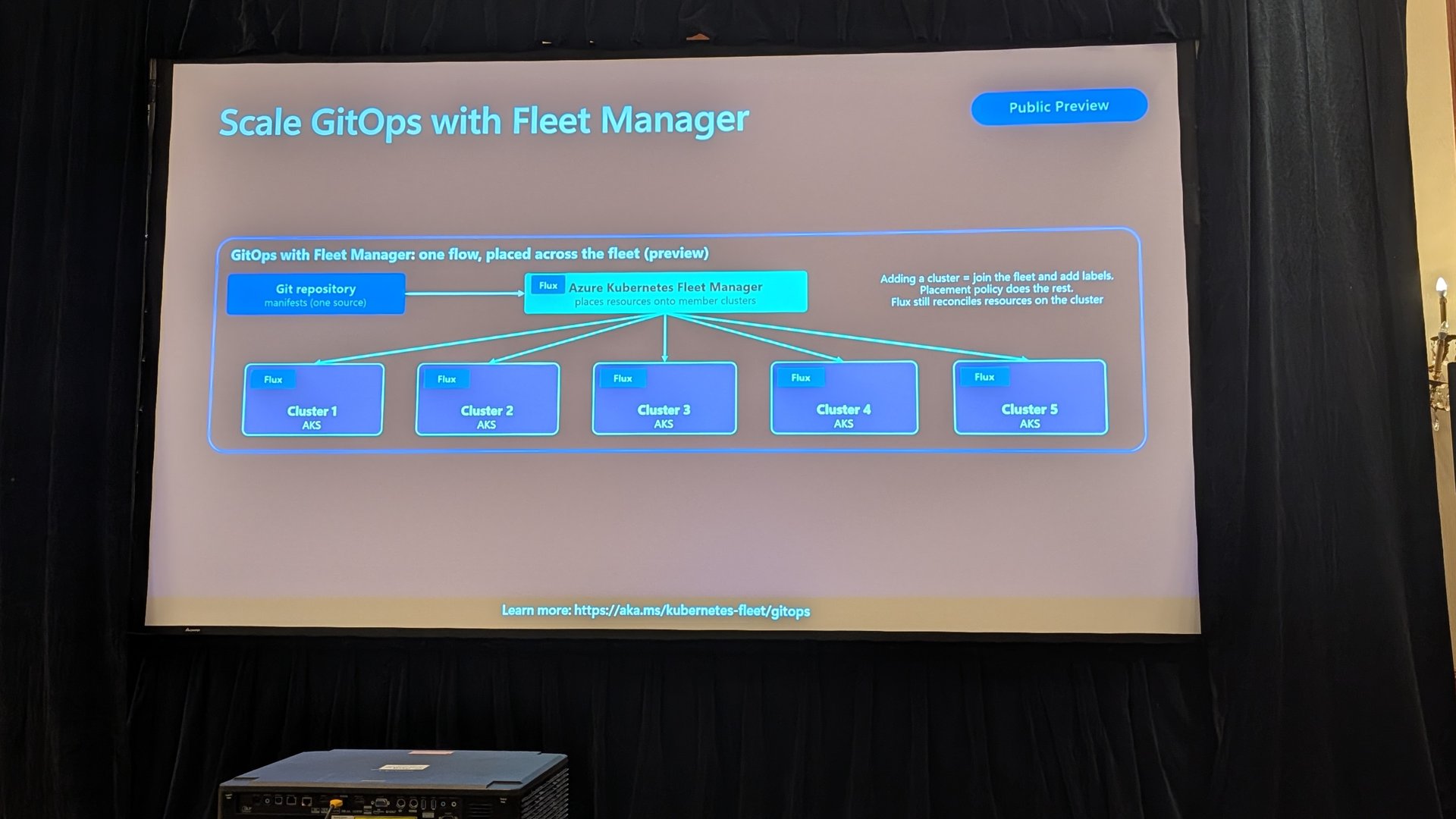
GitOps at fleet scale is the other one I want to try. Traditionally every new cluster needs its own Flux config and a Git change before it gets anything. With Fleet Manager, there’s one flow from Git, and adding a cluster becomes “join the fleet and add labels”. Placement does the rest, and Flux still reconciles on the cluster.
Add cross-cluster networking with global services, plus staged update strategies with approval gates, and you’ve got a decent story for moving workloads between regions without your consumers noticing. I’ll be writing more about KubeFleet once I’ve had it in a lab.
Cost and efficiency
The cost section opened with some uncomfortable numbers. Average memory utilisation of 20% and CPU utilisation of 10% (Cast AI’s 2026 report), and the majority of containers requesting four times more CPU than they use (Datadog). We’ve all seen clusters like that.
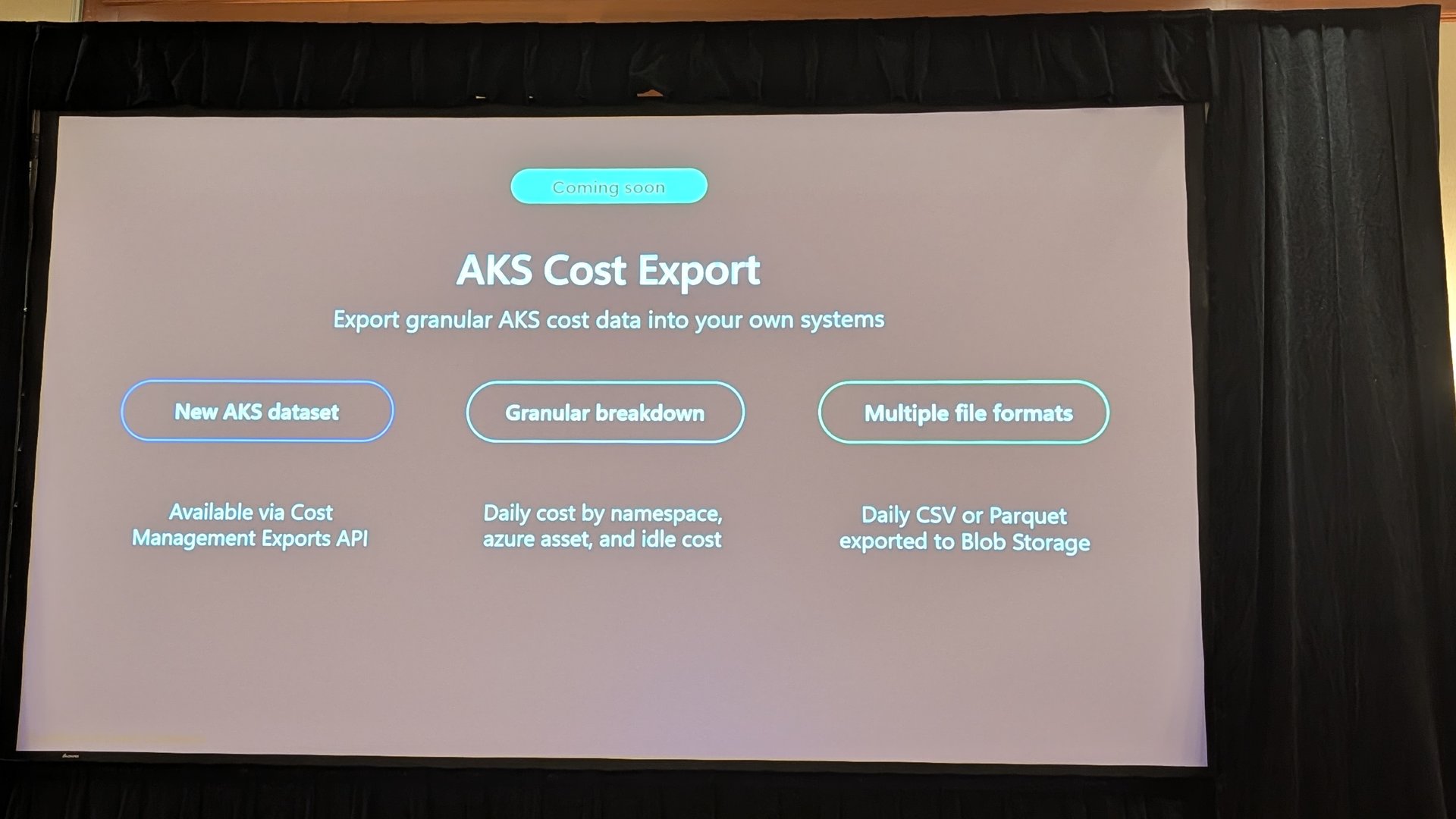
The new thing here is AKS Cost Export, which is coming soon. It’s a new AKS dataset in the Cost Management Exports API, with daily cost by namespace, Azure asset and idle cost, exported to Blob as CSV or Parquet. The demo showed new fields like KubernetesNamespaceName and KubernetesUtilizationBucket. Getting namespace-level cost into your own BI tools without running a separate cost tool is going to make a lot of FinOps teams happy.
Configurable scheduling profiles are GA. You can tune the AKS kube-scheduler to bin-pack rather than spread, and the slide showed the same 33 pods running with one node left completely empty. That empty node is exactly what the autoscaler needs to scale down.
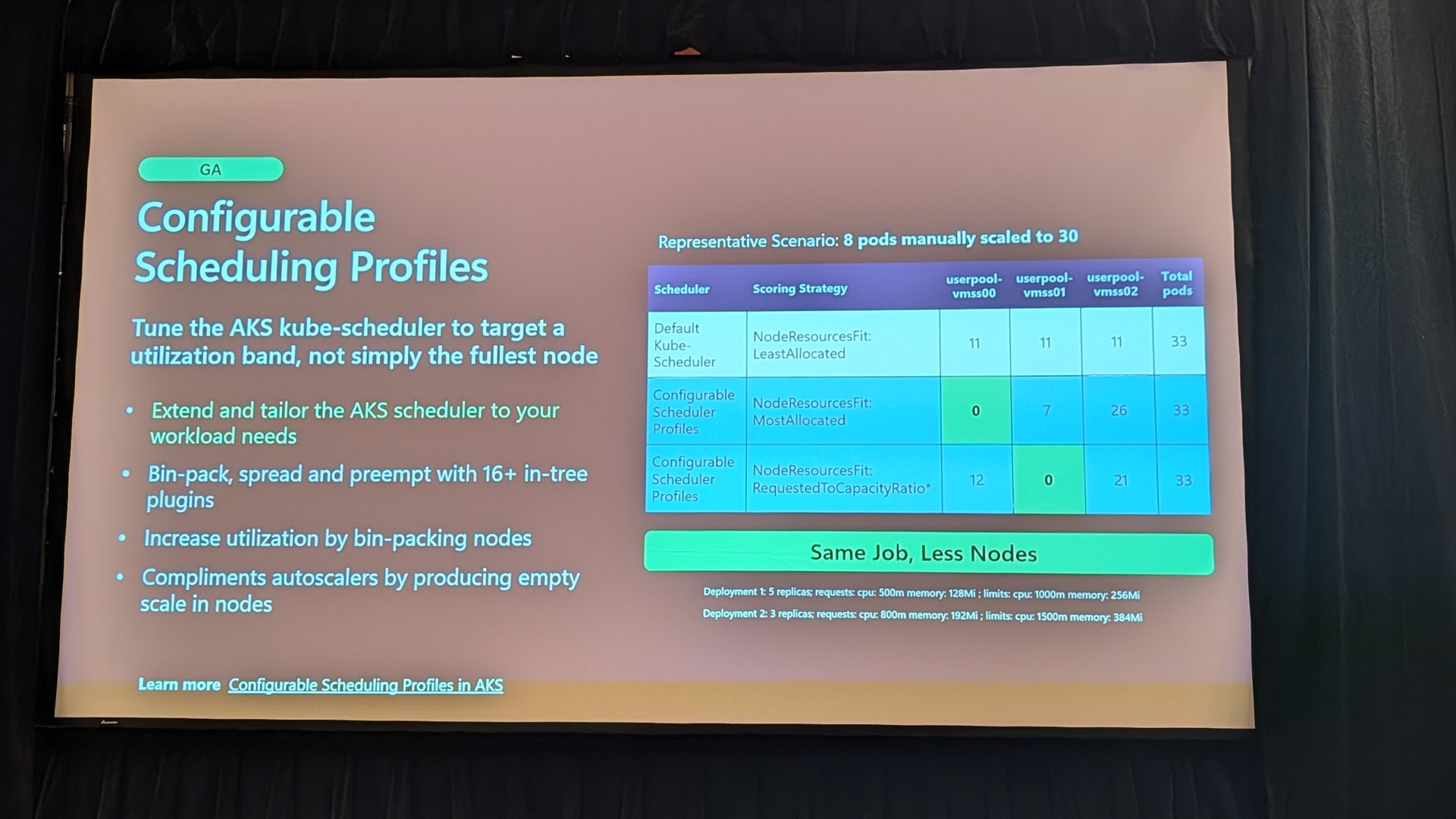
A few more worth noting.
- The managed Kueue extension is in public preview. AKS runs Kueue and provides default ResourceFlavors and priority classes, and you own the queues, quota and preemption policy.
- VPA in-place resize (alpha in VPA 1.7.0) resizes running pods without restarts or evictions, and never falls back to eviction.
- HPA scale to zero is beta in Kubernetes 1.37, using
minReplicas: 0with object or external metrics. The trade-off is a slower cold start. - AMD v7 VMs were quoted at 1.8x performance per dollar for Dadsv7 over Dadsv5, and NAP can pick the best-value SKU for you.
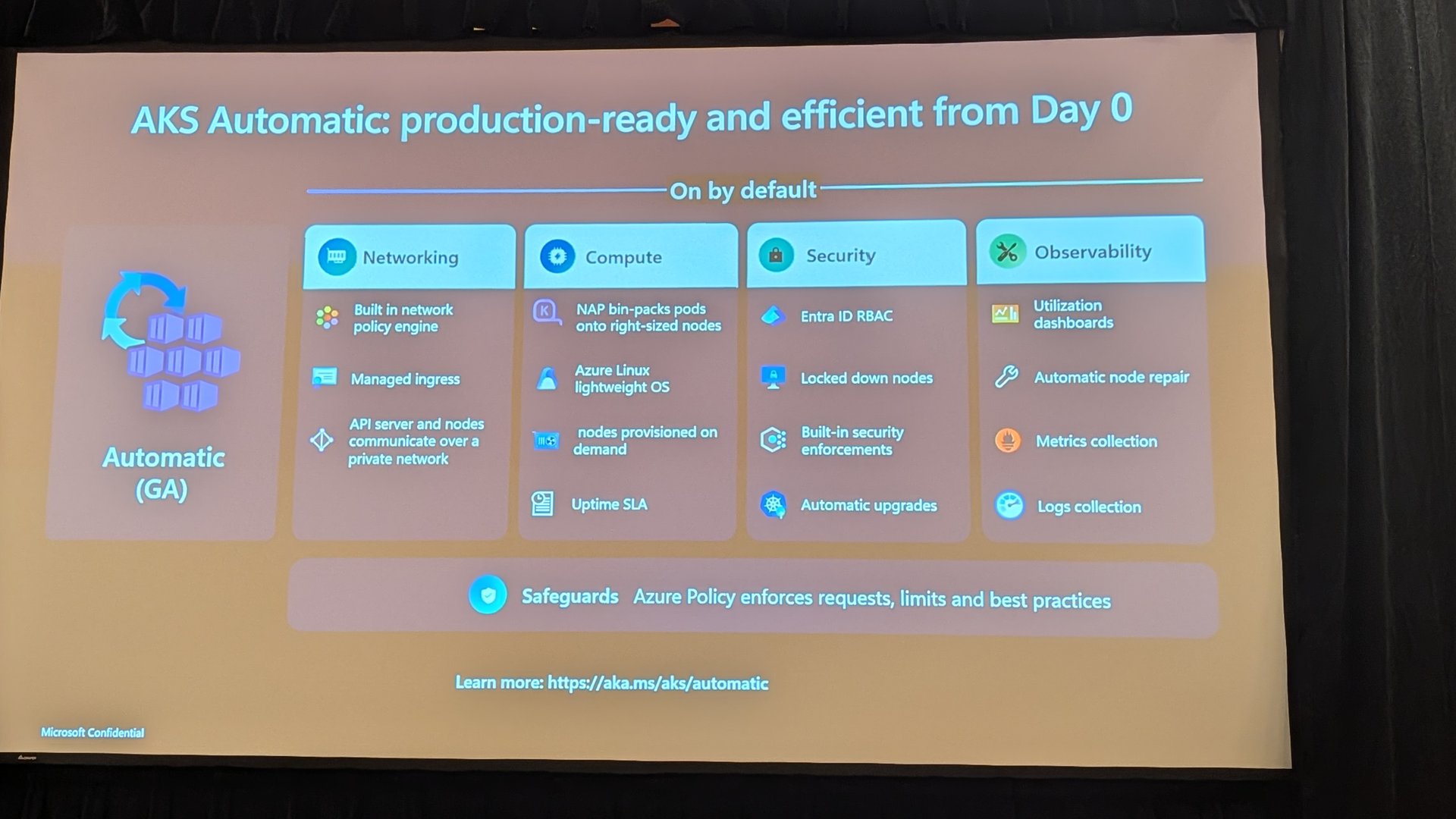
AKS Automatic tied a lot of this together, with networking, compute, security and observability defaults on from day zero, and Safeguards enforcing requests and limits.
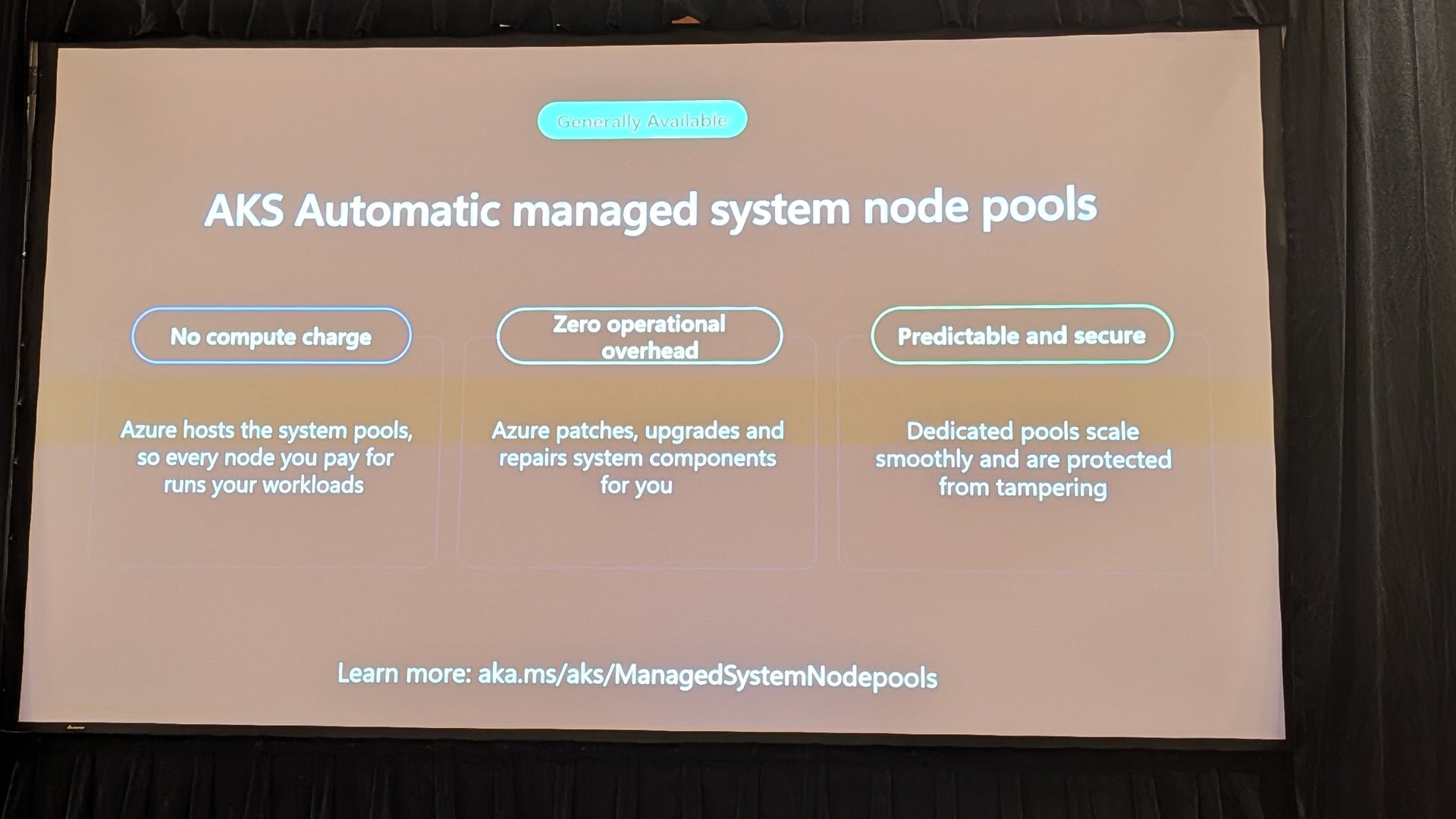
The standout for me in this section was AKS Automatic managed system node pools, which are GA. Azure hosts the system pools, so there’s no compute charge for them, and Azure patches, upgrades and repairs the system components. Every node you pay for runs your workloads. That’s a really nice change.
Developer experience
The last session of the morning was about building a golden path on AKS. It used Backstage, GitHub, Argo CD and Crossplane on the platform side, with managed namespaces and workload identity for developers. The session sample is at aka.ms/aks/kubecon26/dx if you want to run through it.
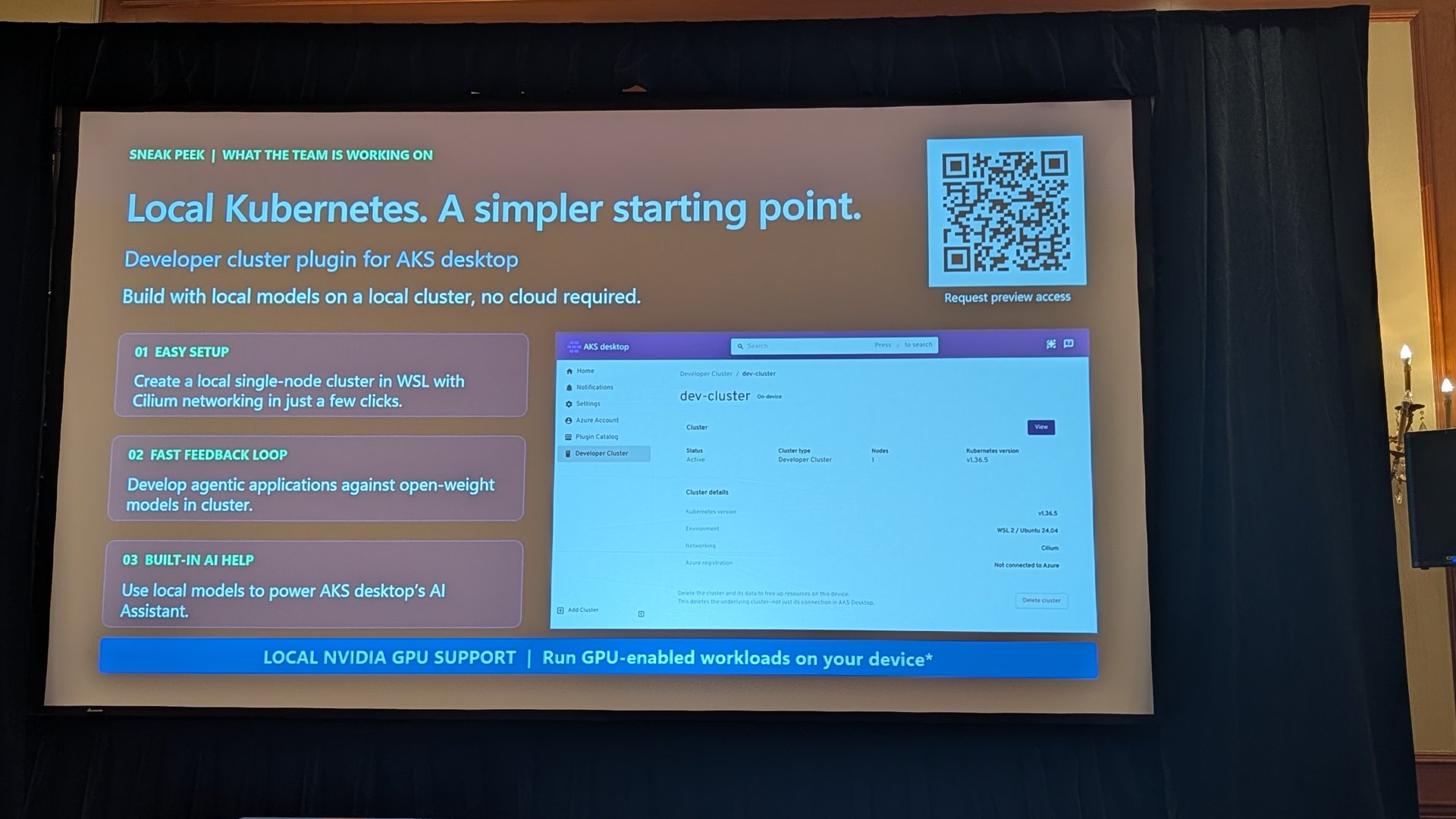
The sneak peek was a developer cluster plugin for AKS desktop. It creates a local single-node cluster in WSL with Cilium, lets you develop against open-weight models locally, and can use local models to power the AKS desktop AI assistant. It was clearly marked as something the team is working on, with a QR code to request preview access.
The afternoon labs
The afternoon was hands-on labs and an AMA with some of the product team. I proctored the labs, which were capture the flag style with a leaderboard and 10 tasks. About five people managed to complete all 10, which is no small thing, so well done to them. Labs like this are a great way to actually try the features rather than just hear about them, and the leaderboard kept the energy up all afternoon.
Wrapping up
Azure Day with Kubernetes was a really good day. Security defaults like KMS vNext and Azure Container Linux are getting stronger, the AI and agent story is moving fast, and AKS is reaching further with bare metal and flex nodes. Fleet Manager and KubeFleet are turning into a proper answer for running lots of clusters.
If you only look at a few things after reading this, I’d start with KMS vNext and platform-initiated upgrades, because they’ll affect clusters you already run. Then have a look at Fleet Manager if you’re managing more than a handful of clusters, and keep an eye out for AKS Cost Export. The preview features are worth testing, but keep them in dev and test for now.
I’m going to dig deeper into KubeFleet and the agent work over the next few weeks. The density demo showed what’s possible, and I’m keen to see what comes next. To catch the docs for these features as they change, keep an eye on my AKS Docs Tracker.
- Use KMS etcd encryption in AKS
- Azure Container Linux overview
- Identity bindings in AKS
- AKS managed GPU nodes
- AKS on bare metal overview
- Flex nodes for AKS overview
- Node auto-provisioning
- Platform-initiated upgrades
- Annotation-based placement in Fleet Manager
- GitOps at fleet scale
- Configure advanced scheduler profiles
- Install the managed Kueue extension
- AKS Automatic managed system node pools
If you were there too, or you try any of these out, let me know how it goes.

0 Comments